iNeeda — SMS Notifications Opt-In Flow
This page documents the in-app opt-in flow for iNeeda's SMS notification program. SMS is off by default. To enable SMS notifications, users must (1) verify their mobile phone number, then (2) turn on the SMS toggle in Notification Settings, then (3) affirmatively tap "Agree & Enable" on a consent disclosure. Consent is not a condition of using iNeeda or of any purchase.
Screenshot 1 — Phone verification (enter number). From Account Settings, the user enters their mobile number and taps "Send code." iNeeda sends a one-time verification code by SMS. SMS notifications cannot be enabled until the number is verified.
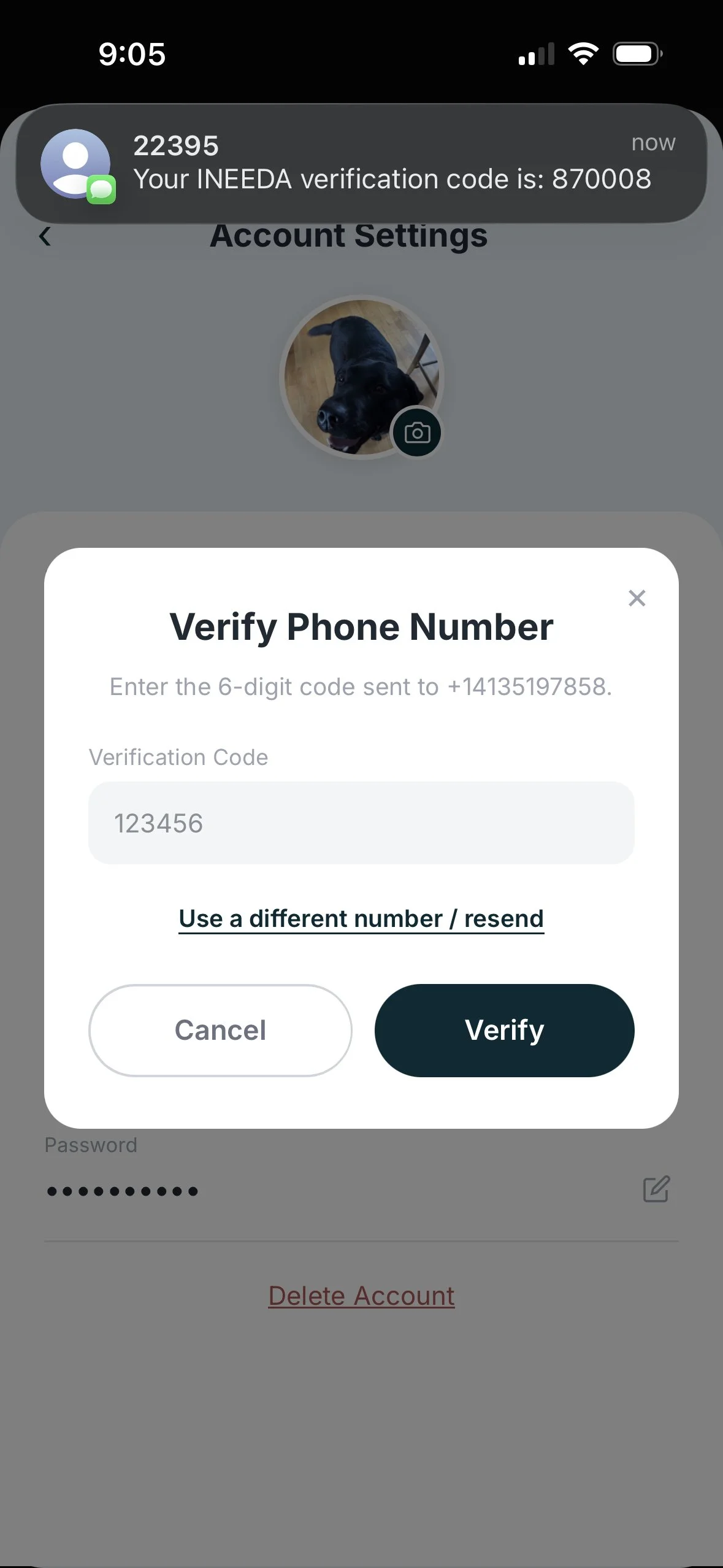
Screenshot 2 — Phone verification (confirm code). The user enters the one-time code to verify ownership of the mobile number. The incoming SMS shows the iNeeda verification code, confirming the number is verified before any opt-in can occur.
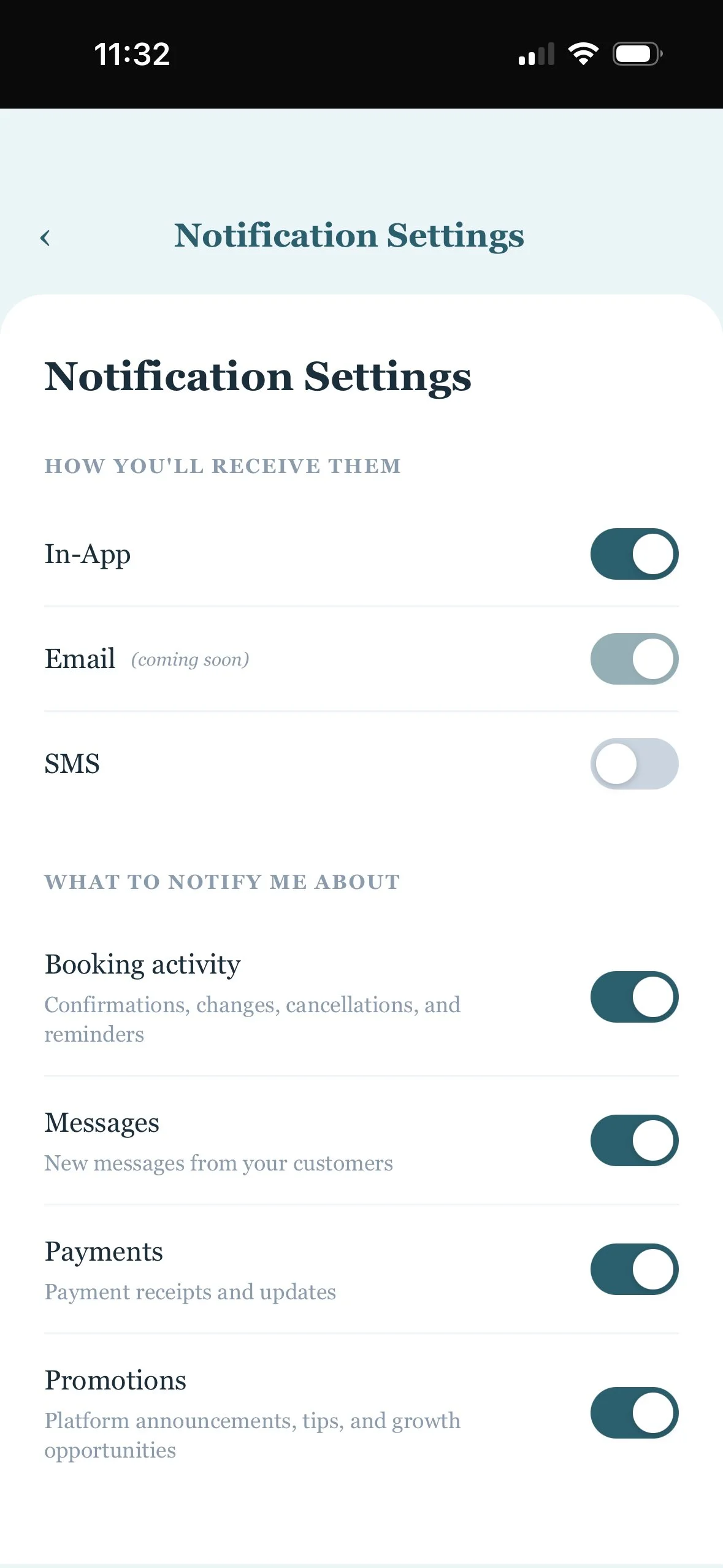
Screenshot 3 — Notification Settings (SMS off by default). After verification, the user accesses this screen from their iNeeda account. The SMS toggle is off by default and must be turned on explicitly by the user.
Screenshot 4 — Express-consent disclosure. When the user turns the SMS toggle on, this consent disclosure is shown. SMS is enabled only after the user taps "Agree & Enable." Users may opt out at any time by turning the toggle off or by replying STOP.
Full policy disclosures are published at https://www.ineedapro.com/privacy-policy (Section 5) and https://www.ineedapro.com/terms-conditions (Section 7)